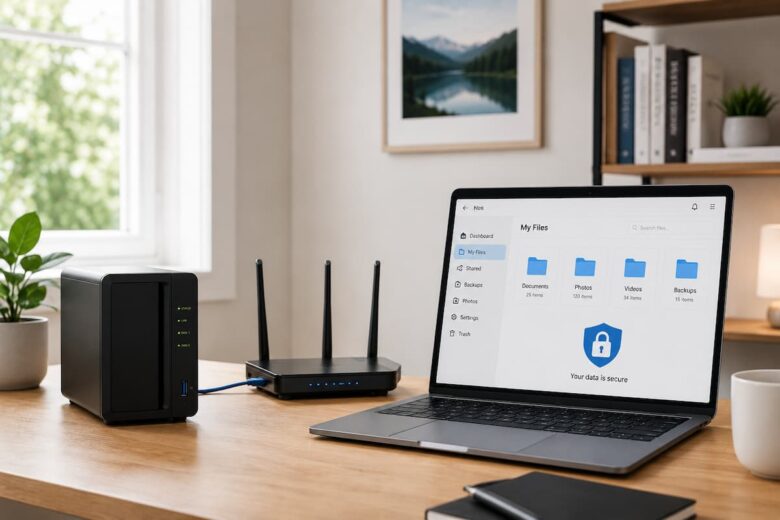
Your Network Attached Storage (NAS) device likely contains your most valuable digital files, such as family photos, personal documents, business projects, and backup files. Because your NAS connects to your home or business network, you must prioritize its security just as much as you organize the stored content. Implementing a few simple security measures can significantly reduce the risk of unauthorized access and better protect your data.
Many people focus on increasing storage capacity or improving performance but neglect security. However, even the most powerful hardware cannot protect your files if you ignore basic security settings. The reassuring news is that you don’t need to be a tech expert to secure your NAS. You can set up the key security measures very easily, and you can complete them in just a few minutes. This guide discusses the basics of NAS security in plain language. Whether you are setting up a NAS for the first time or evaluating an existing system, these tips will help you create a more secure and reliable storage environment.
Why NAS Security Is Important
A NAS is designed to give users easy access to files from multiple devices. While this is certainly convenient, it also means that the device must be protected against unauthorized access, accidental data loss, and manipulation.
Without effective protection, anyone can access sensitive files, even if they are not entitled to them. You can significantly reduce these risks with simple security measures, while still benefiting from the convenience of centralized storage. Robust security also contributes to the integrity of backups, personal documents, and shared folders, allowing you to feel more at ease regarding the safety of your data.
Understand Common Security Risks
Before applying security measures, it is helpful to understand the types of risks that can affect a NAS. Many issues are caused by simple oversights rather than complex attacks.
| Potential Risk | Why It Matters |
|---|---|
| Weak passwords | Can make unauthorized access easier. |
| Outdated software | May contain known security vulnerabilities. |
| Incorrect user permissions | Allows unnecessary access to files. |
| Missing backups | Increases the risk of permanent data loss. |
| Poor network security | Can expose connected devices to additional risks. |
Understanding these common issues makes it easier to prevent them before they become serious problems.
Create Strong Passwords
One of the simplest and most effective ways to protect your NAS is by using strong passwords. Every account, especially the administrator account, should have a unique password that is difficult to guess. A strong password usually combines uppercase and lowercase letters, numbers, and special characters. Avoid using personal information such as birthdays, names, or simple number sequences.
For example, instead of choosing a password based on your name, create one that includes a mixture of random words, numbers, and symbols. Longer passwords generally provide better protection than short ones.
- Use at least 12 characters when possible.
- Include uppercase and lowercase letters.
- Add numbers and symbols.
- Avoid reusing passwords from other accounts.
- Update passwords periodically.
Protect the Administrator Account
The administrator account has complete control over the NAS. Anyone with access to this account can modify settings, manage users, and access stored files. Because of this, protecting the administrator account should be one of your highest priorities.
Use the administrator account only when changing system settings or performing maintenance. For everyday file access, use a standard user account instead. This simple habit reduces the chances of accidental configuration changes. It is also a good practice to review administrator credentials occasionally and ensure they remain secure.
Create Separate User Accounts
If multiple people use the NAS, avoid sharing one login account. Instead, create an individual account for each person.Separate accounts improve both security and organization. Each user can have their own password and access only the folders they need. This approach also makes it easier to monitor activity and manage permissions if changes are needed later.
For example, family members can each have private folders while still sharing access to common folders such as photos or documents.
| User Type | Recommended Access |
|---|---|
| Administrator | Full system management. |
| Family Member | Personal folders and selected shared folders. |
| Employee | Only work-related shared folders. |
| Guest | Limited access when required. |
Assigning the correct permissions from the beginning creates a safer and more organized storage environment.
Implement the Least Privilege Principle
Good security practice is to provide users access only to the files they really require. This is sometimes referred to as the notion of minimum access.
For example, if you only require access to a shared documents folder, why give access to backup folders or administrator settings? Limiting permissions decreases the possibility of accidentally deleting files or making undesired modifications. Review user permissions periodically, especially when new folders are added or new accounts are created, to ensure sure access is still suitable.
Keep Your NAS Software Up to Date
One of the easiest methods to increase the security of your NAS is to keep the software current. Developers make updates to repair bugs, improve the stability of the system, and patch security holes that may be uncovered over time.
Not updating your NAS means it will be using old software, which may have greater security issues. Checking for updates often is a good way to make sure that your system continues to run safely and efficiently. If your NAS has automated update notifications, have a look at them from time to time and apply updates when applicable. It’s also a good idea to check that your key files are adequately backed up before large updates.
Turn on Two Factor Authentication
Two-factor authentication (2FA) provides an additional layer of security for your NAS account. The login method is not only a password; it has a second stage of verification, thus it is considerably more difficult to gain unauthorized access.
Even if someone learns your password they will still need the second verification method to get into your NAS. This dramatically enhances the security of the account, particularly for administrator accounts.If your NAS supports two-factor authentication, it’s worth switching it on, and takes just a few minutes to set up.
Protect Your Home Network
The security of your NAS is partly dependent on the security of your home network. Because the NAS talks through your router, keeping the network secure keeps everything attached to the network secure.
Use a strong password on your Wi-Fi network and don’t share it unnecessarily. If you haven’t previously done so, change the default password for the administrator on your router. Updating the firmware of your router also helps to provide a safer network environment. A secure home network decreases the risk of unauthorized individuals getting access to equipment on that network, such as your NAS.
Manage Shared Folder Permissions Carefully
Shared folders make collaboration convenient, but they should only be accessible to users who genuinely need them. When creating shared folders, decide whether users should be allowed to view files, upload new files, modify existing content, or delete information. Giving every user full control is rarely necessary.
For example, a shared family photo folder may allow everyone to view pictures, while only one or two trusted users have permission to organize or remove files.
| Permission | Typical Use |
|---|---|
| Read Only | Users can view files but cannot change them. |
| Read and Write | Users can upload and edit files. |
| Full Control | Users can manage folders, permissions, and file deletion. |
Review folder permissions regularly, especially after adding new users or creating additional shared folders.
Encrypt Sensitive Files When Possible
Encryption helps protect important information by making it unreadable without proper authorization. If your NAS supports encryption features, consider using them for folders that contain confidential or sensitive files.
Examples include financial records, business documents, legal paperwork, and personal information. Encrypting these files adds another level of protection in case someone gains unauthorized access to the storage device. Remember to store any encryption-related information securely, as losing it may make the encrypted files inaccessible.
Schedule Automatic Backups
Good security is not only about preventing unauthorized access. It is also about ensuring your files can be recovered if something unexpected happens. Automatic backups reduce the risk of losing valuable information because the system saves copies of important files according to a schedule. This removes the need to remember manual backups and helps keep your data current.
- Back up personal documents regularly.
- Include family photos and videos.
- Protect important work files.
- Review backup schedules occasionally.
- Verify that backups complete successfully.
Testing backups from time to time gives you confidence that you can restore your files if necessary.
Track Login History
Most NAS systems have activity logs that record logins and other relevant events. Checking these records from time to time may reveal anomalous activities.
For example, frequent failed login attempts, or logins from unexpected accounts, could suggest that passwords need to be examined or permissions altered. You don’t need to keep an eye on activities every day, but it’s a good security habit to review the logs once in a while.
Use Remote Access With Caution
Some users like to access their NAS remotely. If you allow remote access, then it should be secured with strong passwords, 2-factor authentication and access controls.
Only use remote access when you actually need it, and check its settings often. Limiting remote access to authorized users only helps to limit unwanted exposure while yet giving easy access to files when required. Use strong passwords, keep your software up to date and be careful with permissions control. This will provide you a more safer remote access experience.
Regular Security Maintenance
NAS security is not a one-time activity. As your storage expands and new users are added, it’s a good idea to examine your security settings regularly. A few minutes of maintenance each month can prevent many common problems.
Check all user accounts to ensure they are still needed and delete any that are no longer being used. Verify permissions on shared folders , update software , and ensure scheduled backups are running smoothly .It’s also helpful to keep an eye on how much space you have left. Running out of storage unexpectedly can delay backups or prevent new files from being saved.
Create a Simple Security Routine
Following a regular routine makes NAS security much easier to manage. Instead of waiting until a problem occurs, perform a few simple checks every month.
| Task | Recommended Frequency |
|---|---|
| Review user accounts | Monthly |
| Check software updates | Monthly |
| Verify backup completion | Weekly or Monthly |
| Review login activity | Monthly |
| Inspect storage usage | Monthly |
| Check folder permissions | Every few months |
Keeping to a simple schedule helps ensure that small issues are identified before they become larger problems.
Common NAS Security Mistakes to Avoid
Most security vulnerabilities are not clever technological challenges, but simple oversights. Steering clear of these frequent blunders will go a long way toward keeping your NAS safe.
- Reusing the same password for several accounts.
- Leaving the admin account logged in unnecessarily.
- No software or firmware updates.
- Grant full access to all folders to every user.
- Omitting regular backups.
- Login history is never reviewed.
- Maintaining active user accounts active.
- Bypassing basic home network security.
Even correcting a handful of such practices can be a real boon to the safety of your overall storage system.
Develop Good Security Habits
The most effective security technique is not one feature, but a combination of many little actions. Protect your files with strong passwords, updated software, limited user permissions and regular backups.
Say, for example, a family utilizing a NAS to store essential photos and school records. They make different user identities , limit access to folders , check their backups monthly and maintain the system updated . This reduces the danger of accidentally deleting files and unauthorized access without making the system hard to use . Building these behaviors early can help keep your storage environment secure as your file collection continues to develop.
Conclusion
You don’t need to be a technical wizard to keep a NAS secure. Most security gains are the result of constantly implementing simple best practices. Factors like as creating strong passwords, safeguarding the administrator account, setting the correct user permissions, installing software updates, enabling two-factor authentication, securing your home network, encrypting critical information, and having reliable backups all contribute to a more secure storage system.
Your NAS stays reliable as your storage needs grow with regular maintenance and periodic security checks. By integrating security into your routine, you may save essential files with confidence, knowing that you are minimizing the danger of illegal access or data loss.
FAQs
1. Why is security crucial to NAS?
A NAS may store important items such as papers, images, movies and backups. Good security practices keep this information safe from illegal access, inadvertent change and data loss.
2. How frequently should I update the software on my NAS?
Check for updates often and install them when they are available. Software updates are often released to improve system stability and fix identified security vulnerabilities.
3. Should there be an account per user?
Yeah. With individual user accounts, security is better, permissions are easier to administer and access to shared files is easier to monitor.
4. How can I set a good password for NAS?
A strong password is a mix of upper and lowercase characters , numbers and symbols . It is long enough . It should also be unique and not used again on other accounts.
5. Is automatic backup included in NAS security?
Yes. Backups won’t guard against illegal access, but they do protect against unintentional deletion, device failure, or other instances where files need to be recovered.