

It is not a frequent occurrence that memory just vanishes on a Linux server. More typically, memory usage creeps up over hours or days until the kernel has exhausted feasible options for recovering RAM. Applications are slow, swap use increases, the Out-of-Memory (OOM) killer kills processes, or the server is completely unresponsive. The tough issue …

Few infrastructure problems are as disruptive as a Linux server that refuses to boot. Whether the system hosts virtual machines, Docker containers, a NAS workload, or business-critical services, every minute spent guessing at the cause increases downtime. The temptation is to start fixing things immediately—reinstall GRUB, rebuild the initramfs, or run fsck on every partition. …

The true villain behind sluggish Linux servers is often concealed. Users are seeing “the server is slow,” apps are timing out, backups are running past their maintenance windows, or virtual machines are lagging. The knee-jerk reaction is to increase the hardware or add more RAM, but those adjustments don’t always boost speed because the real …
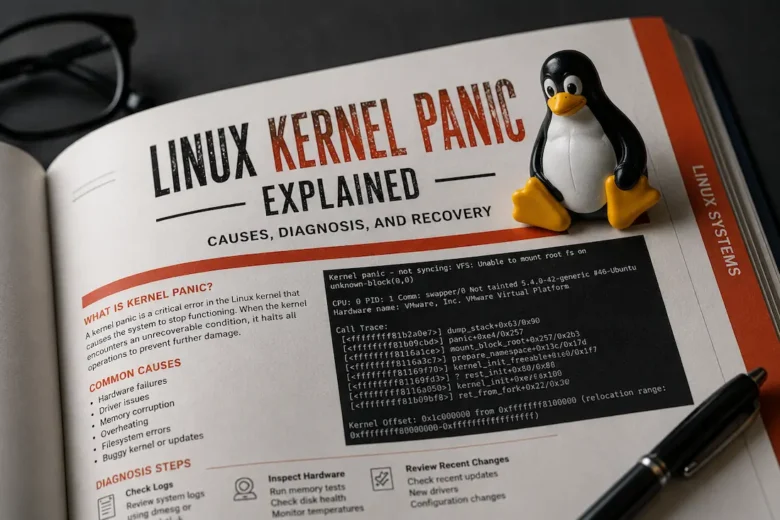
Few Linux errors create more uncertainty than a kernel panic. Unlike an application crash or a failed system service, a kernel panic indicates that the operating system has encountered an unrecoverable condition and intentionally halts execution to prevent filesystem corruption, memory damage, or unpredictable behavior. For administrators managing production servers, virtualization hosts, NAS appliances, Kubernetes …

A home server rarely becomes slow without a reason. The challenge is that the symptoms often point in the wrong direction. For example, a sluggish web application might tempt you to blame Docker. Slow file transfers may seem like a networking problem. High CPU usage can even be mistaken for insufficient hardware. In reality, each …

Few Linux errors are as common—or as frequently “fixed” the wrong way—as Permission denied. The temptation is understandable. A command fails, an application refuses to start, or a mounted directory suddenly becomes inaccessible. After several unsuccessful attempts, someone reaches for chmod -R 777, disables SELinux, changes ownership recursively, or runs everything as root. The immediate …

High disk I/O is one of the most misunderstood Linux performance problems. Administrators often log into a sluggish server, see high %wa latency, and immediately assume a disk is failing or that one application is overwhelming the storage subsystem. In reality, disk activity is often a symptom rather than the root cause. A busy database performing …