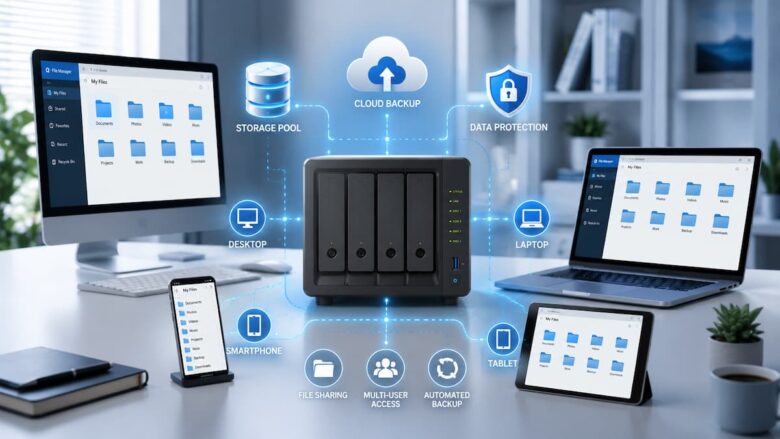
What Is a File System?
A file system is the method a storage device uses to organize and manage data. Whenever you save a photo, document, video, or backup, the file system records where that data is stored and how it can be accessed later.
Without a file system, a NAS would have no efficient way to locate files. Every file would simply be a collection of data blocks with no organized structure. In simple terms, the file system acts like a library catalog. Instead of searching every shelf to locate a specific book, the catalog quickly identifies where that book belongs. A file system performs the same function for digital files.
Why the File System Matters in a NAS
Unlike external hard drives that may only be used occasionally, NAS devices often operate continuously. They store important documents, backups, family photos, videos, and shared files that multiple users may access every day.
Because of this constant activity, the file system has a direct impact on several important areas:
- Data reliability
- Storage efficiency
- File recovery capabilities
- System performance
- Backup management
- Error detection and correction
- Long-term storage stability
A well-designed file system can help reduce the risk of data corruption and simplify ongoing storage management.
Common File Systems Used in NAS Devices
NAS environments commonly use several file systems. Each was designed with different goals and strengths in mind.
| File System | Main Focus |
|---|---|
| EXT4 | Stability and simplicity |
| Btrfs | Data protection and advanced features |
| ZFS | Data integrity and scalability |
| XFS | Handling large files efficiently |
| NTFS | Compatibility with Windows systems |
While not every NAS supports all of these file systems, understanding their differences helps explain why certain devices use specific options.
Understanding EXT4
EXT4 is one of the most widely used file systems in Linux-based environments and has been a popular choice for NAS systems for many years. Its popularity comes from a balance of reliability, performance, and simplicity. Many NAS users appreciate EXT4 because it has matured through extensive testing in real-world environments. For a household storing photos, documents, and routine backups, EXT4 often provides stable operation without requiring advanced knowledge.
Advantages of EXT4
- Reliable long-term performance
- Efficient storage management
- Broad support across NAS platforms
- Lower system resource requirements
- Simple administration
Limitations of EXT4
- Fewer advanced data protection features
- Limited snapshot capabilities
- Less flexibility than newer file systems
For many home users, these limitations may never become noticeable, but advanced users often look for additional features.
Understanding Btrfs
Btrfs has become increasingly popular in modern NAS devices because it introduces several advanced storage management features that are not available in older file systems. One of its biggest strengths is its focus on protecting data. Btrfs can detect certain types of file corruption and provides useful tools for managing backups and restoring previous versions of files.
Imagine accidentally deleting an important document or making unwanted changes to a project folder. With snapshot technology, recovering an earlier version can be much easier than relying solely on traditional backups.
Advantages of Btrfs
- Snapshot support
- Improved data integrity features
- Efficient storage management
- Easier backup workflows
- Advanced recovery options
Limitations of Btrfs
- Requires more system resources
- Can be more complex to manage
- Not available on every NAS platform
For users who value data protection and backup flexibility, Btrfs is often considered an attractive option.
Understanding ZFS
ZFS is widely recognized for its strong focus on data integrity. It was designed to protect data from corruption while providing advanced storage management capabilities. One reason ZFS is respected among storage professionals is its ability to continuously verify stored data. This process helps identify potential issues before they become serious problems.
Organizations managing large amounts of important information often appreciate ZFS because it combines storage management and file system functions into a unified framework. Although ZFS offers powerful features, it generally requires more hardware resources than simpler file systems, making it more common in advanced NAS environments.
Understanding XFS
XFS is a file system designed to handle large amounts of data efficiently. It has been widely used in servers and enterprise environments for many years because of its ability to manage large files and high-capacity storage volumes.
If you mainly use your NAS to store large video files, design projects, or extensive archives, XFS can provide consistent performance during file transfers. While XFS performs very well with large files, it does not include some of the advanced data protection features found in newer file systems such as Btrfs or ZFS.
Advantages of XFS
- Excellent performance with large files.
- Suitable for high-capacity storage systems.
- Reliable for long-term file storage.
- Efficient handling of large amounts of data.
Limitations of XFS
- Limited built-in snapshot features.
- Less suitable for users who want advanced recovery options.
- This feature is not supported by every NAS operating system.
Understanding NTFS
NTFS is the default file system used by many Windows computers. Although it is not commonly selected as the primary file system for NAS devices, it is frequently encountered when connecting external drives to a NAS or transferring files between Windows systems.
Its primary advantage is compatibility. Users who regularly move data between Windows computers and external storage devices will often encounter NTFS. However, when it comes to running the internal storage of a NAS, other file systems are generally preferred because they offer features designed specifically for continuous network storage.
Advantages of NTFS
- Excellent compatibility with Windows.
- Supports large files and partitions.
- Well-known and widely used.
Limitations of NTFS
- Not specifically designed for NAS workloads.
- Fewer storage management features compared to some NAS-oriented file systems.
- Performance depends on the operating environment.
Comparing Popular NAS File Systems
The following table provides a simplified comparison of the most common file systems used in NAS environments.
| Feature | EXT4 | Btrfs | ZFS | XFS |
|---|---|---|---|---|
| Ease of Use | Excellent | Good | Moderate | Good |
| Data Protection | Good | Very Good | Excellent | Good |
| Snapshot Support | Limited | Yes | Yes | Limited |
| Performance | High | High | High | Very High |
| Hardware Requirements | Low | Moderate | Higher | Moderate |
Each file system has strengths in different situations. There is no single option that is perfect for every NAS user.
Performance Considerations
Performance is another important factor when selecting a file system. A NAS may be used for simple document storage, media streaming, automatic backups, or sharing files between several users at the same time.
The type of workload influences which file system performs best. For example, storing thousands of small office documents creates different demands than transferring large video files. Hardware also plays a significant role. A powerful processor, sufficient memory, and fast storage drives contribute to overall NAS performance regardless of the chosen file system.
Choosing the Right File System for Your Needs
Instead of searching for the “best” file system, it is often more useful to identify the one that best matches your intended use.
- Home file storage: A stable and easy-to-manage file system is often sufficient.
- Family photo collections: Data protection features become more valuable.
- Business documents: Reliability and backup capabilities should receive greater attention.
- Large media libraries: Efficient handling of large files becomes increasingly important.
- Long-term archives: File integrity and dependable storage are key considerations.
Thinking about how your NAS will actually be used is usually more helpful than comparing technical specifications alone.
A Practical Example
Imagine two different households setting up a NAS. The first family mainly stores homework, scanned documents, and vacation photos. Their storage needs are straightforward, and they simply want reliable access to their files.
The second household regularly creates high-resolution videos, maintains large project folders, and keeps several years of archived data. Their workload is much heavier, making advanced storage management and efficient handling of large files more important. Although both households own NAS devices, their storage habits and priorities differ, so the most suitable file system for each may be different.
Best Practices When Choosing a NAS File System
Selecting a file system is only one part of building a reliable NAS. Following a few best practices can help you get the most from your storage system regardless of which file system you use.
- Consider both your current and future storage needs.
- Keep your NAS operating system updated.
- Create regular backups of important files.
- Monitor storage health periodically.
- Organize folders clearly to simplify file management.
- Leave sufficient free storage space for smooth performance.
- Review your storage requirements as your data grows.
These habits improve long-term reliability and make managing your NAS much easier.
Common Mistakes to Avoid
Many first-time NAS users choose a file system based only on popularity without considering how they actually plan to use their storage. This can result in unnecessary complexity or missing features that would have been more useful.
Some common mistakes include:
- Choosing a file system without understanding its strengths.
- Ignoring future storage growth.
- Assuming every NAS supports the same file systems.
- Relying solely on the file system instead of maintaining regular backups.
- Overlooking hardware requirements for advanced file systems.
- Focusing only on performance while ignoring data protection.
Some planning before setup can save time and reduce the need for future changes.
Factors to Consider Before Making Your Decision
Every NAS user has different priorities. Before selecting a file system, ask yourself a few practical questions:
- How much data will I store?
- Will multiple people access the NAS?
- Do I need advanced file recovery features?
- Will I mostly store documents, photos, or large video files?
- Do I expect my storage needs to grow significantly over the coming years?
Your answers can help narrow down the most suitable file system for your specific situation instead of simply choosing the most advanced option available.
Summary
A file system is one of the most important parts of any NAS because it determines how data is stored, managed, and protected. While it works in the background, it has a significant impact on performance, reliability, and long-term storage management.
Popular file systems such as EXT4, Btrfs, ZFS, and XFS each have their own advantages. EXT4 is known for its simplicity and stability; Btrfs offers modern data protection features; ZFS focuses on data integrity and scalability; and XFS performs well when managing large files. The right choice depends on your storage needs, available hardware, and future plans.
Rather than searching for a universally “best” file system, focus on selecting one that matches how you intend to use your NAS. Combining the right file system with regular backups and proper maintenance will help create a dependable storage environment for years to come.