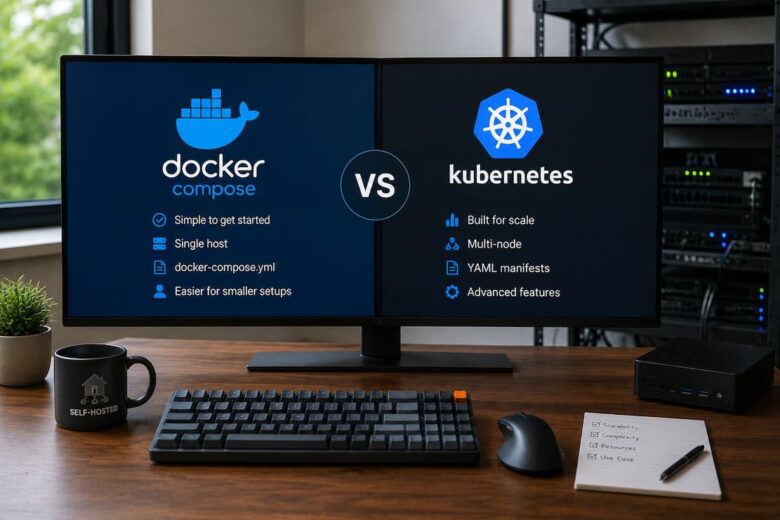
One of the most significant misconceptions in self-hosting is that Kubernetes is the “next step” after Docker Compose. That assumption is understandable because many enterprise environments use Kubernetes. Documentation, YouTube channels, and conference talks often present it as the natural evolution of containerized infrastructure.
For most self-hosted environments, that’s the wrong starting point. The better question isn’t, “Which platform is more powerful?” Which platform best addresses the problems you actually have? Docker Compose and Kubernetes solve different operational challenges. Understanding those differences matters far more than comparing feature lists.
Choose Based on Operational Requirements
Before comparing technologies, define what success looks like.
Evaluate each platform using practical criteria:
- Infrastructure size
- Availability requirements
- Failure recovery
- Operational overhead
- Storage management
- Networking complexity
- Update process
- Scalability
- Maintenance burden
- Learning investment
Most comparison articles stop at features. Day-to-day operations determine whether a platform becomes an asset or a maintenance project.
Docker Compose: The Application-Centric Model
Docker Compose manages a collection of related containers as a single application.
A Compose file defines the following:
- Images
- Networks
- Volumes
- Environment variables
- Restart policies
- Dependencies
The deployment becomes reproducible because the configuration exists as code rather than shell history. For a home lab or a small business server, this simplicity is often its greatest advantage.
Where Docker Compose Excels
Compose performs exceptionally well when applications live on a single server.
Typical examples include the following:
- Media servers
- Password managers
- Home automation
- Documentation platforms
- Development environments
- Reverse proxies
- Monitoring stacks
- Backup services
These workloads rarely need automatic multi-node scheduling. Instead, administrators benefit from straightforward deployment and troubleshooting. Restarting an application is usually as simple as rebuilding one service.
The Hidden Strength of Compose
Compose is easy to understand because it closely mirrors how Docker actually works.
When something fails, debugging usually involves examining the following:
- Container logs
- Mounted volumes
- Network connectivity
- Environment variables
The relationship between configuration and runtime behavior remains relatively direct. That predictability becomes valuable during incidents.
Where Docker Compose Starts to Show Its Limits
Compose was never intended to manage clusters. As infrastructure grows, manual coordination increases.
Examples include:
- Multiple Docker hosts
- High availability requirements
- Automatic workload scheduling
- Rolling updates
- Self-healing services
- Resource-aware scheduling
Administrators often compensate with scripts or external automation. Eventually, the operational complexity shifts outside of Docker itself. That’s usually the point where organizations begin evaluating orchestration platforms.
Kubernetes: Infrastructure as a Distributed System
Kubernetes approaches containers differently. Instead of managing individual applications, it manages an entire cluster. Applications become workloads scheduled across available nodes. If one machine fails, Kubernetes attempts to recover by placing workloads elsewhere, assuming shared storage and networking have been designed correctly. This distinction changes almost every operational decision.
Kubernetes Solves Infrastructure Problems
Many people think Kubernetes exists to run containers.
Docker already does that.
Kubernetes exists to coordinate containers across many systems.
Its responsibilities include:
- Scheduling workloads
- Monitoring health
- Replacing failed containers
- Service discovery
- Load balancing
- Secret management
- Resource allocation
- Rolling deployments
Those capabilities become valuable only when infrastructure reaches sufficient complexity.
Complexity Is Part of the Design
Kubernetes is frequently described as complicated. That isn’t a design flaw. Distributed systems are inherently complicated. The platform exposes complexity that already exists instead of hiding it. This distinction matters. Running applications across multiple servers requires solving problems involving networking, storage, scheduling, state management, certificates, and failure recovery. Kubernetes provides mechanisms for those problems. It does not eliminate them.
Storage Becomes a Different Conversation
Persistent storage is often where self-hosted Kubernetes deployments become challenging. With Docker Compose, storage usually consists of local bind mounts or Docker volumes. The relationship is straightforward. A container uses local storage. In Kubernetes, storage becomes abstracted. Persistent Volumes, Persistent Volume Claims, Storage Classes, and external storage providers introduce additional concepts.
The documentation explains each component individually but often leaves out why they exist. Their purpose is portability. Applications should continue running even when scheduled onto different nodes. Achieving that goal requires storage that follows workloads rather than remaining attached to a single machine. For many home labs, that additional abstraction solves a problem they do not actually have.
Networking Is Fundamentally Different
Compose networking generally stays inside one Docker host. Containers communicate through virtual bridges. Port publishing exposes services externally. Kubernetes assumes services may move between nodes.
As a result, networking includes the following:
- Cluster networking
- Overlay networks
- Service discovery
- Internal DNS
- Ingress controllers
- Network policies
None of these concepts are unnecessarily complex. They’re solving mobility. Applications should remain reachable regardless of which node currently hosts them.
Scaling Means Different Things
People often say Kubernetes “scales better.” That statement needs context. There are multiple forms of scaling. Compose scales applications vertically quite well. You can allocate more CPU, memory, or storage to a server without changing deployment architecture. Kubernetes specializes in horizontal scaling. Applications can run multiple replicas distributed across cluster nodes. If your infrastructure consists of one NAS and one mini PC, horizontal scaling may provide little operational value. The equation changes completely when you operate dozens of nodes.
Updates and Maintenance
Compose updates intentionally. Pull new images. Restart services. Verify application health. Kubernetes performs rolling deployments, readiness checks, and controlled updates automatically. Those capabilities reduce service interruption but increase the number of components administrators must understand. Most troubleshooting eventually comes back to understanding how controllers, deployments, ReplicaSets, and Services interact. The automation is valuable. The learning investment is real.
Failure Recovery
Failure recovery is where Kubernetes demonstrates its strongest advantages.
Consider a hardware failure.
With Docker Compose:
- The host fails.
- Applications stop.
- Recovery depends on restoring the server or rebuilding elsewhere.
With Kubernetes:
- The scheduler detects failures.
- Healthy nodes receive replacement workloads.
- Services continue operating if storage and networking remain available.
Notice the assumption.
Shared storage, networking, and cluster design must already support failover. Kubernetes cannot provide high availability if the surrounding infrastructure remains a single point of failure.
Operational Overhead Matters
Every platform introduces maintenance.
Compose maintenance typically includes
- Docker updates
- Image updates
- Backup verification
- Storage monitoring
Kubernetes adds:
- Control plane maintenance
- Worker node management
- Certificate rotation
- Networking plugins
- Storage providers
- Ingress controllers
- Cluster upgrades
- API compatibility
These tasks aren’t necessarily difficult. They simply become part of routine operations. Before adopting Kubernetes, ask whether those responsibilities solve an actual business or infrastructure problem.
Learning Curve
Compose teaches Docker. Kubernetes teaches distributed infrastructure. Those are different educational goals. Someone interested in enterprise platform engineering benefits enormously from learning Kubernetes.
Someone building a reliable Plex server, Home Assistant installation, and Nextcloud deployment may gain far more by mastering Linux administration, networking, backups, monitoring, and storage instead. Technology choices should support objectives rather than define them.
When Docker Compose Is the Better Choice
Compose is often the better choice when:
- You have one or two servers.
- Applications don’t require automatic failover.
- Simplicity is valuable.
- Backups are more important than clustering.
- Downtime during maintenance is acceptable.
- Infrastructure changes infrequently.
Many mature self-hosted environments remain Compose-based for years without operational limitations. That stability is a feature, not a compromise.
When Kubernetes Makes Sense
Kubernetes becomes compelling when you need the following:
- Multiple physical servers
- High availability
- Automated workload scheduling
- Rolling deployments
- Resource isolation
- Multi-team environments
- Infrastructure automation
- Consistent production deployments
At this stage, Kubernetes is addressing genuine operational requirements rather than serving as a learning exercise.
Scenario-Based Recommendations
Home Lab
Docker Compose is usually the better fit. Its operational simplicity allows more time to improve backups, monitoring, security, and documentation instead of maintaining orchestration infrastructure.
Single NAS Running Self-Hosted Applications
Choose Docker Compose. Kubernetes introduces complexity without providing significant operational benefits on a single-node system.
Small Business
The answer depends on availability requirements. If brief maintenance windows are acceptable, Compose often remains sufficient. Kubernetes is worth serious consideration when services require continuous availability and multiple servers are already in place.
Enterprise or Production Platform
Kubernetes generally becomes the stronger long-term choice. Its operational model supports growth, automation, and resilience that become increasingly valuable as infrastructure expands.
The Decision Framework
Instead of asking:
“Which platform is better?”
Ask:
- How many servers do I manage?
- What happens if one server fails?
- How much downtime is acceptable?
- Who maintains this infrastructure?
- How often will deployments change?
- Is operational simplicity more valuable than automation?
- Am I solving today’s problems or preparing for realistic future growth?
Those questions produce better architectural decisions than feature comparisons.
Conclusion
Docker Compose and Kubernetes are not competing solutions to the same problem. Compose optimizes for simplicity, reproducibility, and efficient management of applications on individual hosts. Kubernetes optimizes for coordinating applications across distributed infrastructure while improving resilience and automation.
For most home labs, NAS deployments, and small self-hosted environments, Docker Compose provides the best balance of capability and operational simplicity. Kubernetes becomes the stronger choice when infrastructure requirements justify its additional complexity—particularly where high availability, multi-node scheduling, and automated operations are genuine requirements rather than aspirational goals. The right decision is the one that reduces operational risk while meeting current needs, not the one with the longest feature list.
FAQs
1. Is Kubernetes too much for a home lab?
Not really. Kubernetes is a great platform whether you want to learn about cloud-native infrastructure or want to get ready for enterprise situations. For just running reliable services at home, Docker Compose is usually easier to operate and maintain.
2. Can I switch from Docker Compose to Kubernetes later?
Yes. Many firms start with Docker Compose and move to Kubernetes as their infrastructure grows. Compose files, infrastructure-as-code techniques, and externalized settings make future migrations much easier.
3. Is Kubernetes taking over from Docker?
No. It is an orchestration platform. While Docker was the default container runtime, Kubernetes currently supports several container runtimes via the Container Runtime Interface (CRI). It doesn’t replace the container technology itself but rather controls workloads.
4. Which platform is simpler to backup on?
Backing up Docker Compose installations is often simpler because apps tend to use local volumes and simple directory structures. Backups of Kubernetes often involve backing up cluster resources in addition to persistent storage.
5. Is it necessary to learn Docker Compose before Kubernetes?
Yes, for most Linux admins and self-hosters. With a thorough understanding of Docker, networking, storage, volumes, and Compose, you have the operational foundation you need to understand why Kubernetes works the way it does. Once you understand the basics of containers, many things in Kubernetes become much easier to understand.